Flagship engineering case study
SyncPlate
A multi-tenant restaurant platform covering POS, stock, workforce, HACCP, payments, connected devices and German fiscal workflows across web, Android and iOS.
- Role
- Creator, product owner and full-stack developer
- Current status
- In active development · Started May 2024
Overview
Overview
A multi-tenant restaurant platform with 14 Laravel domain modules, isolated tenant databases, Zigbee/MQTT integration for HACCP sensors and one Expo codebase serving web, Android, iOS and dedicated payment terminals.
Business problem
A restaurant runs orders, staff, stock, devices, payments and tax obligations at once, and German law adds signed receipts, immutable audit trails and DSFinV-K exports on top. The hard part is not the feature count — it is keeping every tenant isolated, every fiscal record provable, and every workflow predictable while several people and devices change the same state during a busy service.
My contribution
- Built and tested a multi-tenant Laravel 12 platform with 14 domain modules, a central routing database and an isolated database per tenant.
- Translated ordering, sales, inventory, fiscal, HACCP and IoT workflows into requirements for a Redis Streams backbone with a transactional outbox and idempotent consumers.
- Researched German fiscal requirements and mapped them to provider capabilities for fiskaly TSE signing, DSFinV-K export, daily closing and a hash-chained GoBD audit log.
- Implemented operational analytics and forecast-facing workflows for sales, inventory, procurement, production, menu engineering and trends.
- Directed and validated the Zigbee-to-MQTT-to-API sensor workflow, including continuous HACCP telemetry and device pairing from the admin UI.
- Coordinated and validated delivery of one Expo codebase to web, Android, iOS and dedicated terminals, including Stripe Terminal and three thermal-printer transports.
Operational integrations
POS, Payment & Hardware
Practical development, integration and testing across Stripe payment terminals, SUNMI Android POS devices, ESC/POS receipt printing, QZ Tray and fiskaly TSE — including device pairing, status monitoring, printer communication and diagnosis of connectivity and integration errors.
Engineering challenges
Engineering challenges
Tenant isolation without a fork per customer
A central routing database resolves the tenant, then the request runs against that tenant's own database. One codebase, no shared rows, no cross-tenant leak path.
Events that survive a crash
Domain events are written in the same transaction as the data that caused them, then relayed to Redis Streams. Consumers keep an idempotency store, so a replay cannot double-count a sale.
Fiscal law as a swappable driver
Germany needs TSE signing and DSFinV-K; other countries need other things. Providers declare capabilities through contracts, so a new country is a new driver rather than a rewrite.
Forecasts that admit when they are wrong
Demand prediction is not just a model call: the service backtests against history, corrects for bias, and monitors its own error, with weather and public holidays as features.
Sensors to database, unattended
Zigbee temperature sensors publish over MQTT to a Python bridge that forwards telemetry to the API, and pairing new hardware is driven from the admin UI rather than the shell.
One codebase, four very different targets
Web, Android, iOS and dedicated payment terminals share an Expo codebase, while Stripe Terminal, Sunmi printing, Bluetooth ESC/POS and QZ Tray stay behind capability checks.
Platform map
What the backend is actually responsible for.
Fourteen modules in one Laravel codebase, named here as they are named in the current app/Modules directory and grouped by the job each one owns.
Service & the room
4 modules
- OrderTickets, courses, splits
- TableFloor plan and live occupancy
- OnlineOrderingOff-premise into the same queue
- DlvDelivery orders and dispatch
Goods & production
4 modules
- CatalogMenu, items, modifiers
- InventoryLevels, counts, packaging units
- ProcurementSuppliers and ordering
- DiscountPrice rules and promotions
Money & law
4 modules
- CashTill responsibility per shift
- AccountingBookkeeping exports
- AuditLogHash-chained GoBD trail
- BillingWhat each tenant pays
Platform
2 modules
- SettingsConfiguration per tenant
- SuperAdminTenant administration
Devices
Hardware the platform drives.
A restaurant floor is not one device. Every class below sits behind a capability check, so a venue that owns none of it still gets a working till — and one that owns all of it does not need a second system beside this one.
Taking the money
The readers the platform drives directly, all through Stripe Terminal — so which one a venue owns is a configuration choice rather than a separate code path.
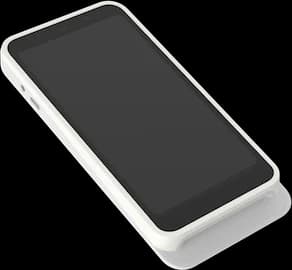
Stripe Reader S700
Stripe Terminal
The counter till. The Expo client runs on the reader itself, so the order and the card payment happen on one screen instead of two devices being kept in step.
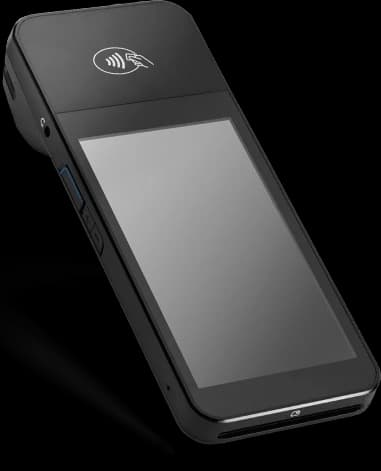
BBPOS WisePOS E
Stripe Terminal
The reader that stays on the counter. It belongs to the fixed till rather than to a person, so the station is ready whoever is standing at it.
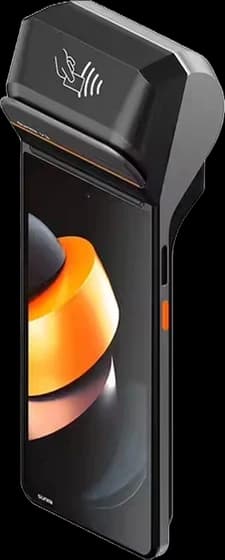
SUNMI POS Devices
SUNMI SDK · Android POS
Android handheld with the printer inside the body. Order, payment and receipt on one device, which is the whole argument for it.
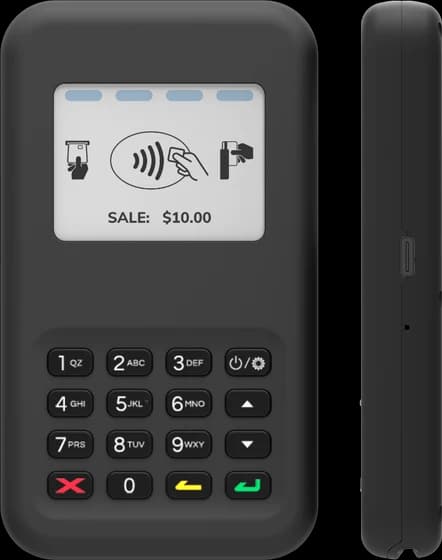
BBPOS WisePad 3
Stripe Terminal
A Bluetooth PIN pad paired to a phone or tablet, for taking the card at the table without giving that station a smart reader of its own.
Tap to Pay
Phone as reader
No reader at all — the phone in the waiter's apron is the contactless terminal. The cheapest way to open a second till for one busy evening.
None of this is a condition of using the system. A venue that already has a card terminal from its bank keeps it and changes nothing: the till books the sale as a card payment, and the operator confirms it when the standalone terminal reports that the payment went through. Nothing to migrate, no contract to leave. An integrated reader removes that one keystroke — it does not unlock the checkout.
Putting it on paper
Three transports sit behind one printing contract — network ESC/POS, Bluetooth ESC/POS and the Sunmi SDK — and the client picks per device at runtime rather than per build.
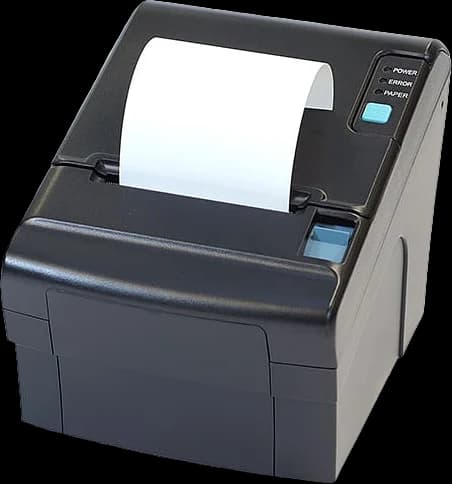
Countertop thermal printer
Network ESC/POS · QZ Tray
Receipts at the till, and the same transport again for the kitchen and bar printers — a ticket is a receipt printed for a different reader.
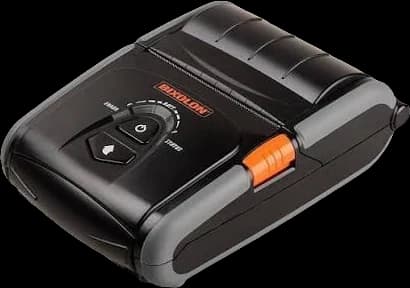
Mobile thermal printer
Bluetooth ESC/POS
Worn with the handheld, so handing over a printed receipt at the table does not mean walking back to the counter for it.
Screens facing someone else
Every device above faces the person taking the order. These three face the kitchen and the guest, which makes them the ones that get used with wet hands or not touched at all.
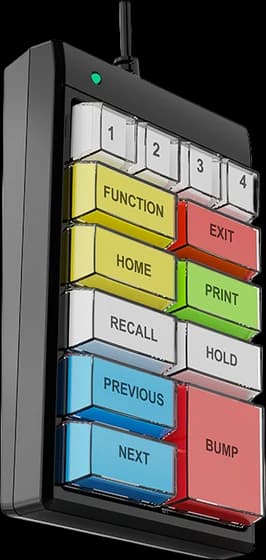
Wired bump bar
Kitchen display
Clearing a ticket is one key press. A cook mid-service has wet hands and no free attention for a touchscreen target.
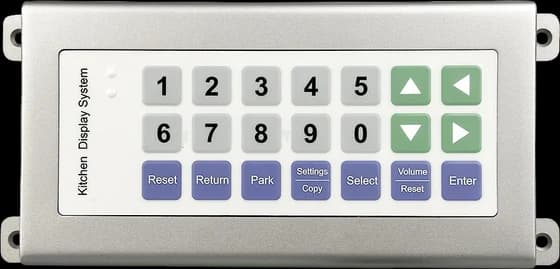
Wireless bump bar
Kitchen display
The same control for a pass or bar station where running a cable to the screen is not an option.
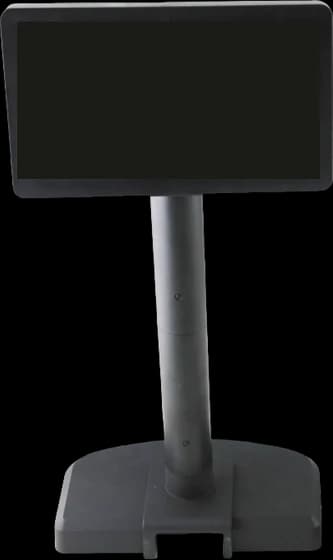
Customer display
Second screen
The guest's side of the counter: the running order and the total, visible before the card is presented rather than after.
Manufacturer renders and stock captures of the supported device classes, not photographs of a specific installation.
Screenshots
Screenshots
Captures from the running applications. Network addresses, sensor identifiers and ticket codes are redacted.
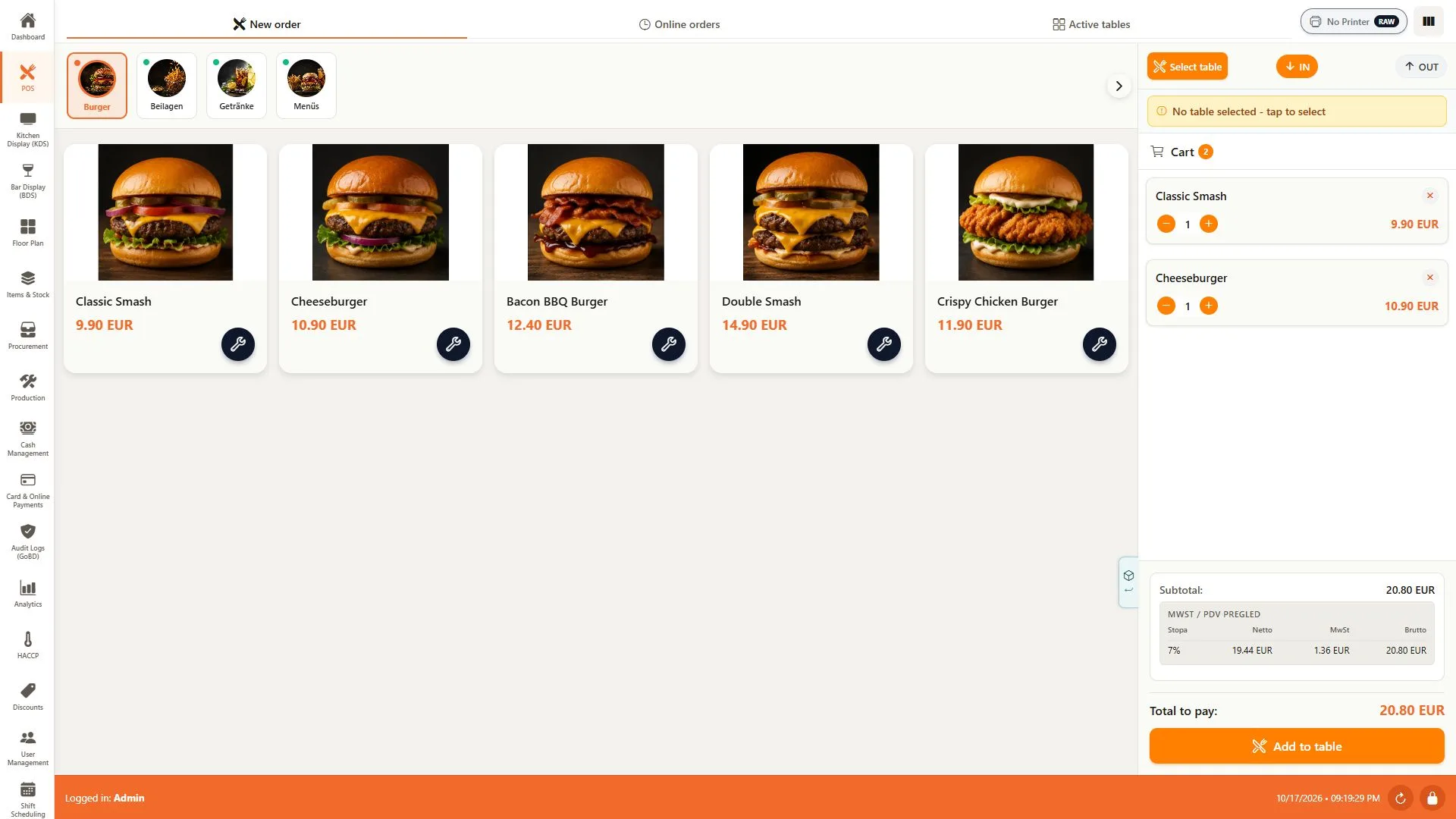
POS — product selection and order cart
A real capture from the public demo: product categories and images on the left, quantities, VAT and the order total on the right. The example stays in the cart before it is added to a table.
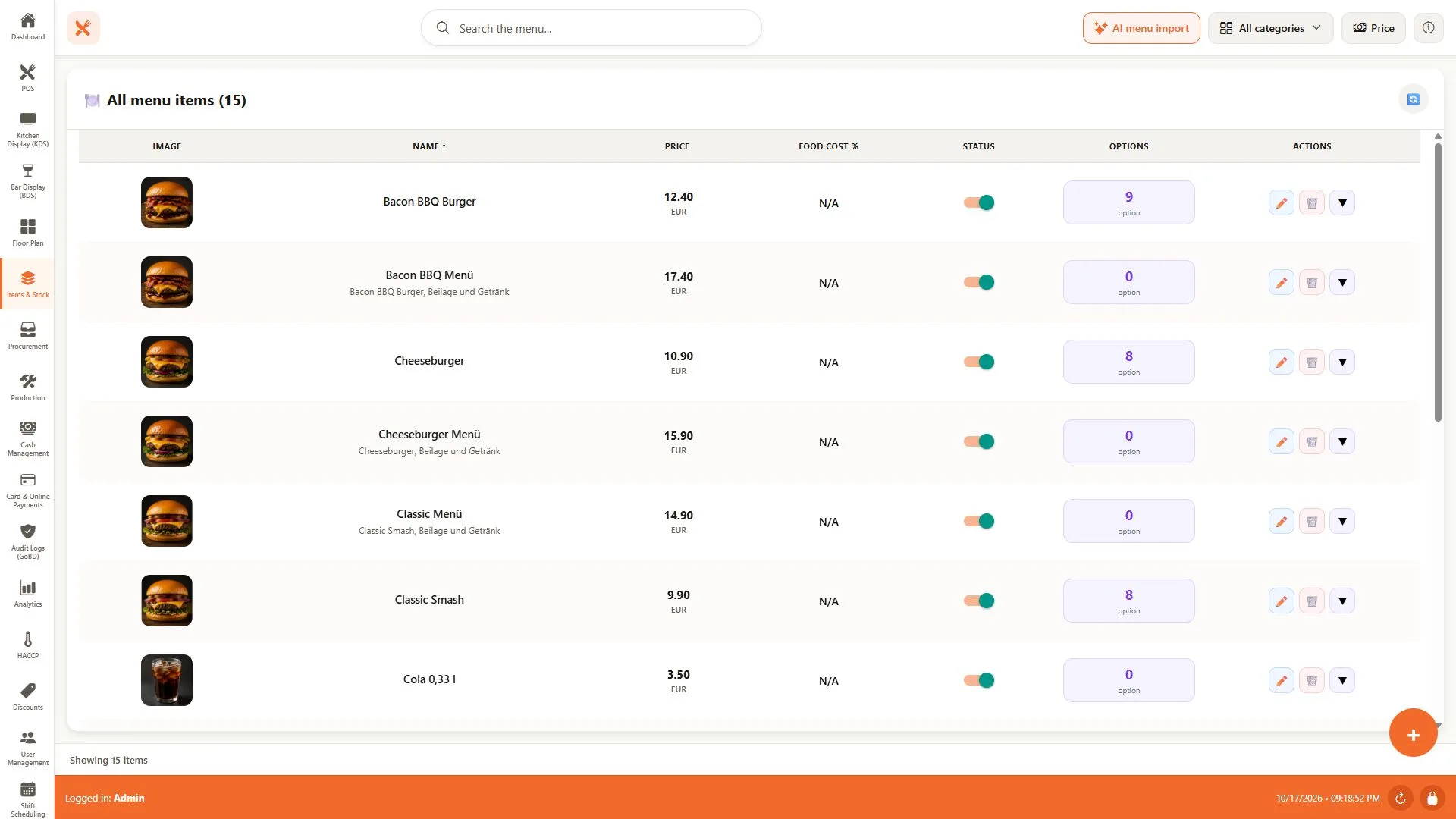
Menu items — catalogue, prices and options
The demo catalogue brings individual products and meal deals into one list, with images, prices, availability and option counts. Search and category filters help staff find the item they need to update.
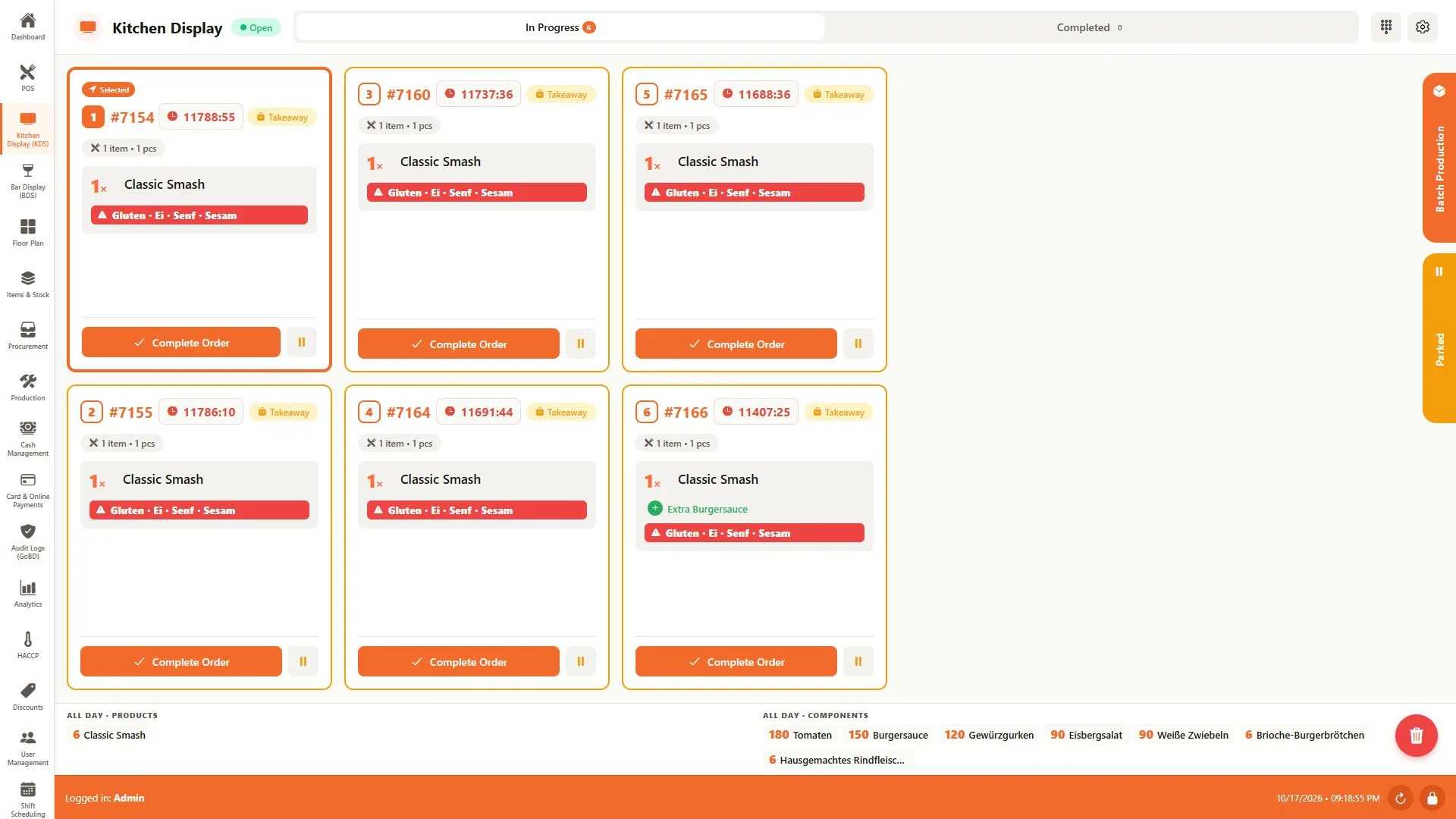
KDS — kitchen tickets and preparation totals
The paired kitchen station shows the demo's open tickets with quantities and allergen warnings. The all-day summary totals products and recipe components across the queue; controls support completing or parking each ticket.
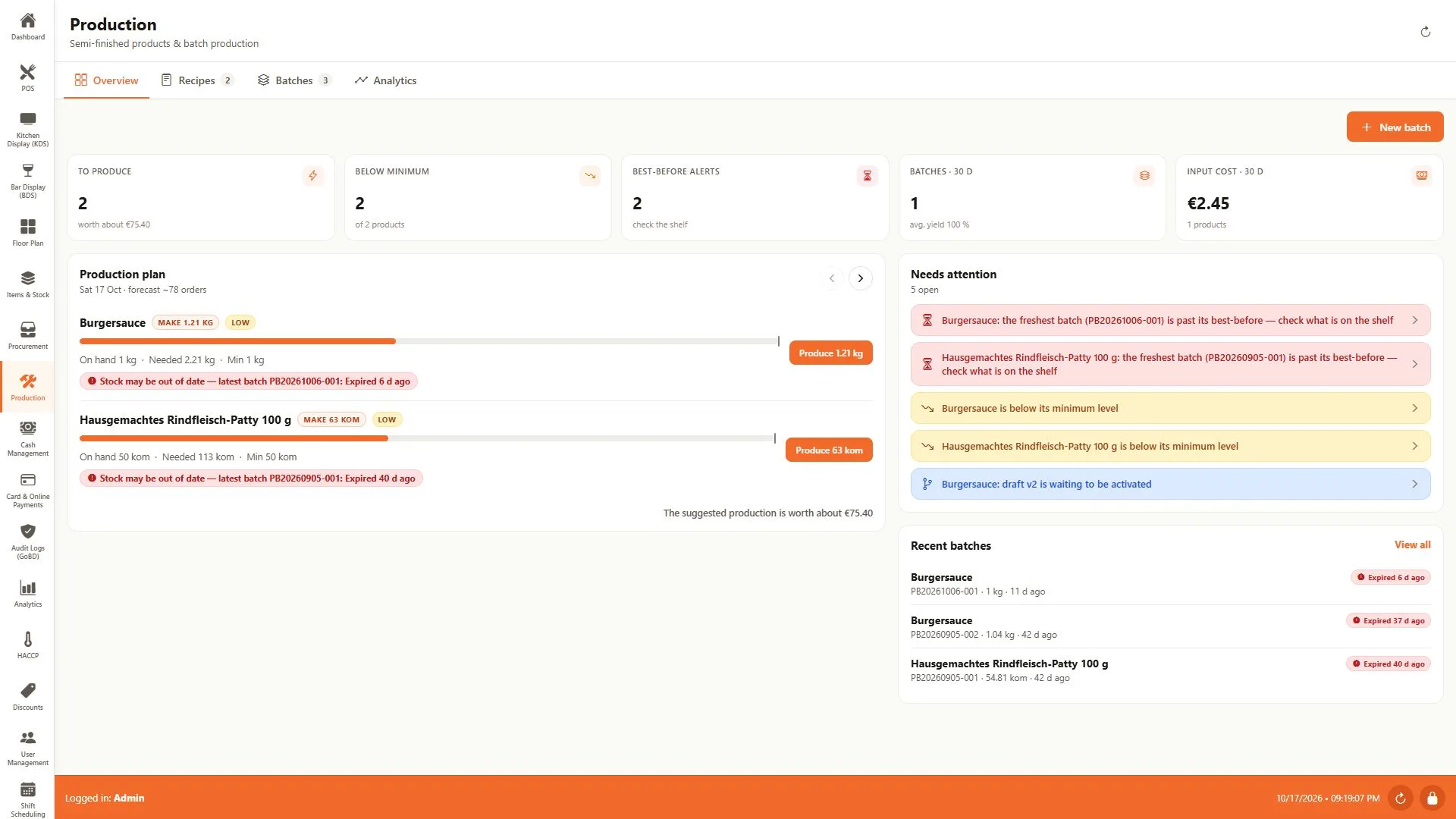
Production — demand, stock and batch planning
The production overview compares forecast demand with available semi-finished stock and suggests quantities to prepare. The demo also shows minimum-stock and expired-batch alerts alongside access to recipes, batches and production analytics.
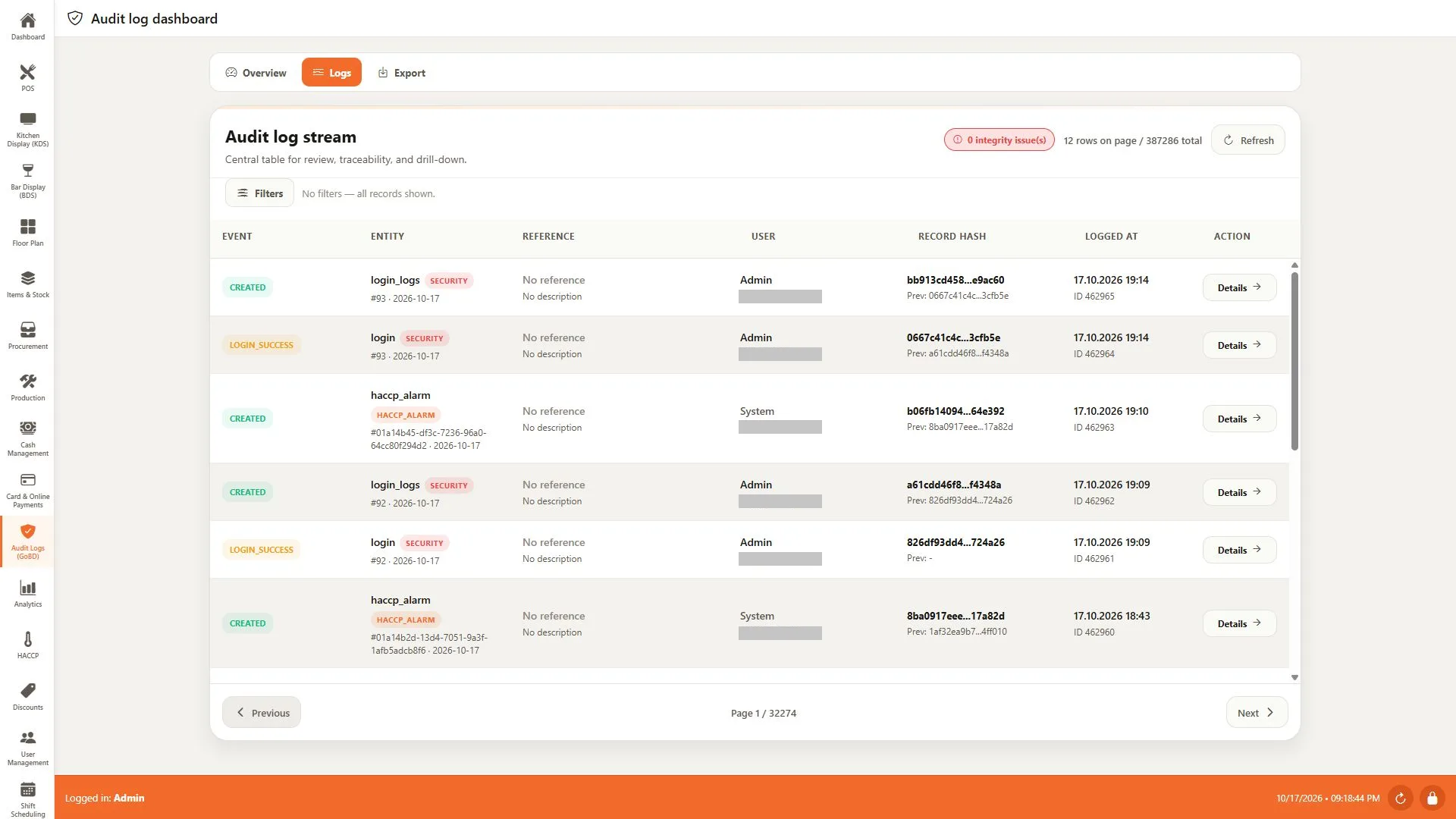
Audit log — events and hash-chain traceability
The demo log stream places security and HACCP events in one review table. Each row links an event and entity to an actor, timestamp and record hash, with the previous hash shown for tracing the chain. IP addresses are redacted for publication.
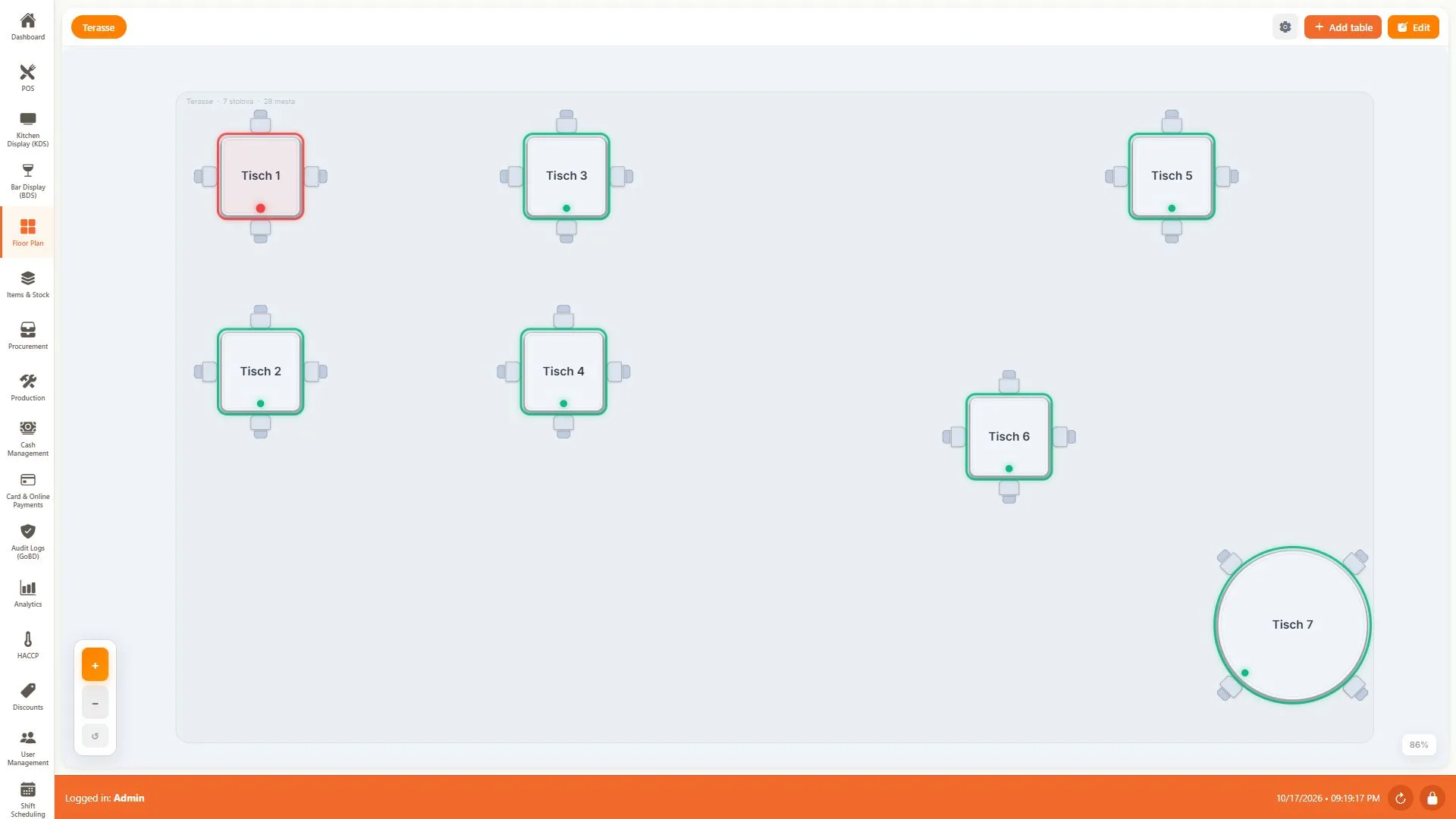
Floor plan — table layout and live occupancy
The demo terrace shows seven tables with their seats and occupancy indicators. Zoom controls and the table editor keep the layout readable as the floor plan grows.
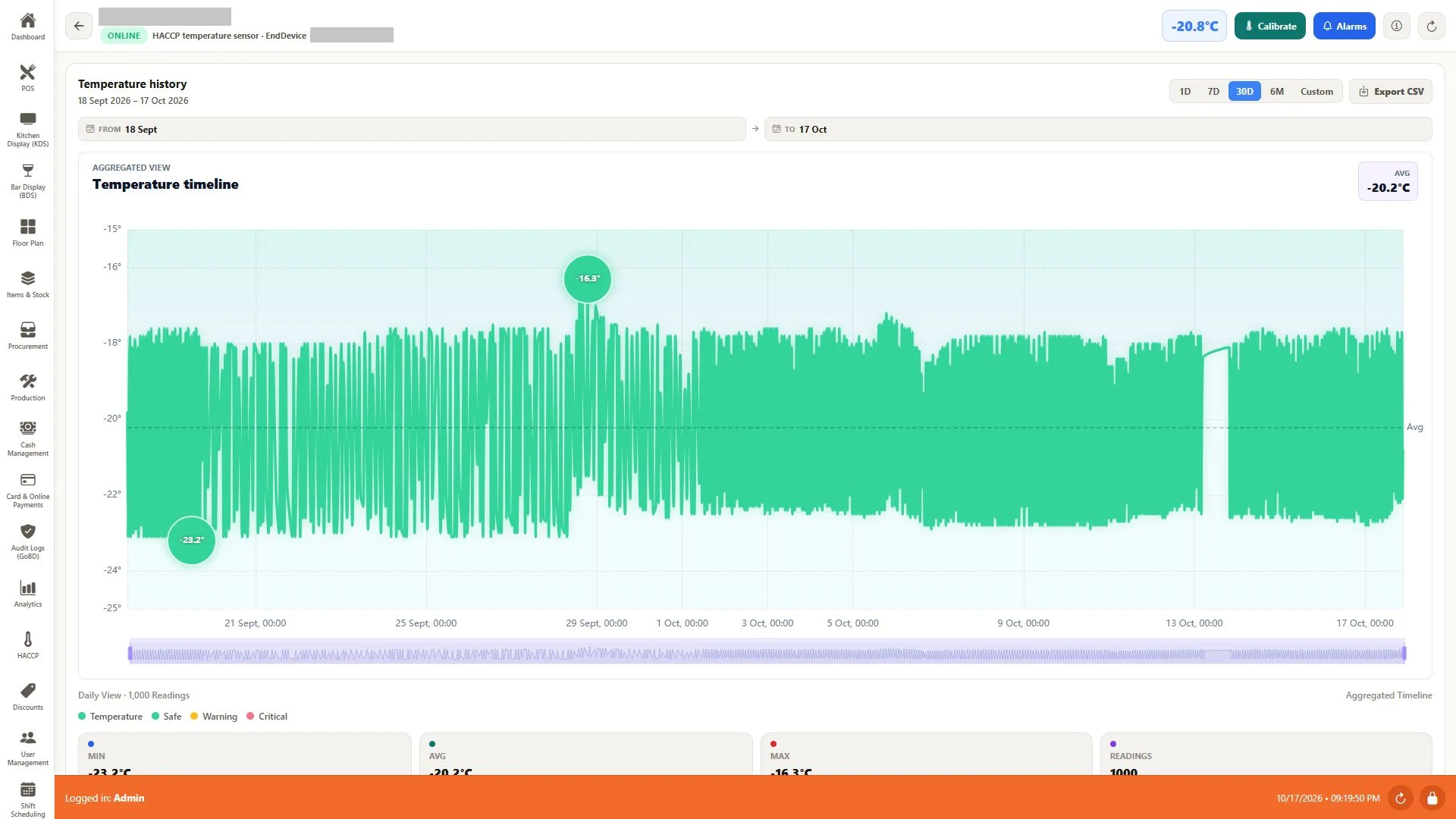
HACCP — freezer temperature history with CSV export
Every reading a Zigbee sensor publishes over MQTT lands here: 30 days of freezer telemetry with the running average, the warmest and coldest points marked, a range picker and a CSV export. Nobody writes a temperature on a clipboard, and the record for an inspection is already complete.
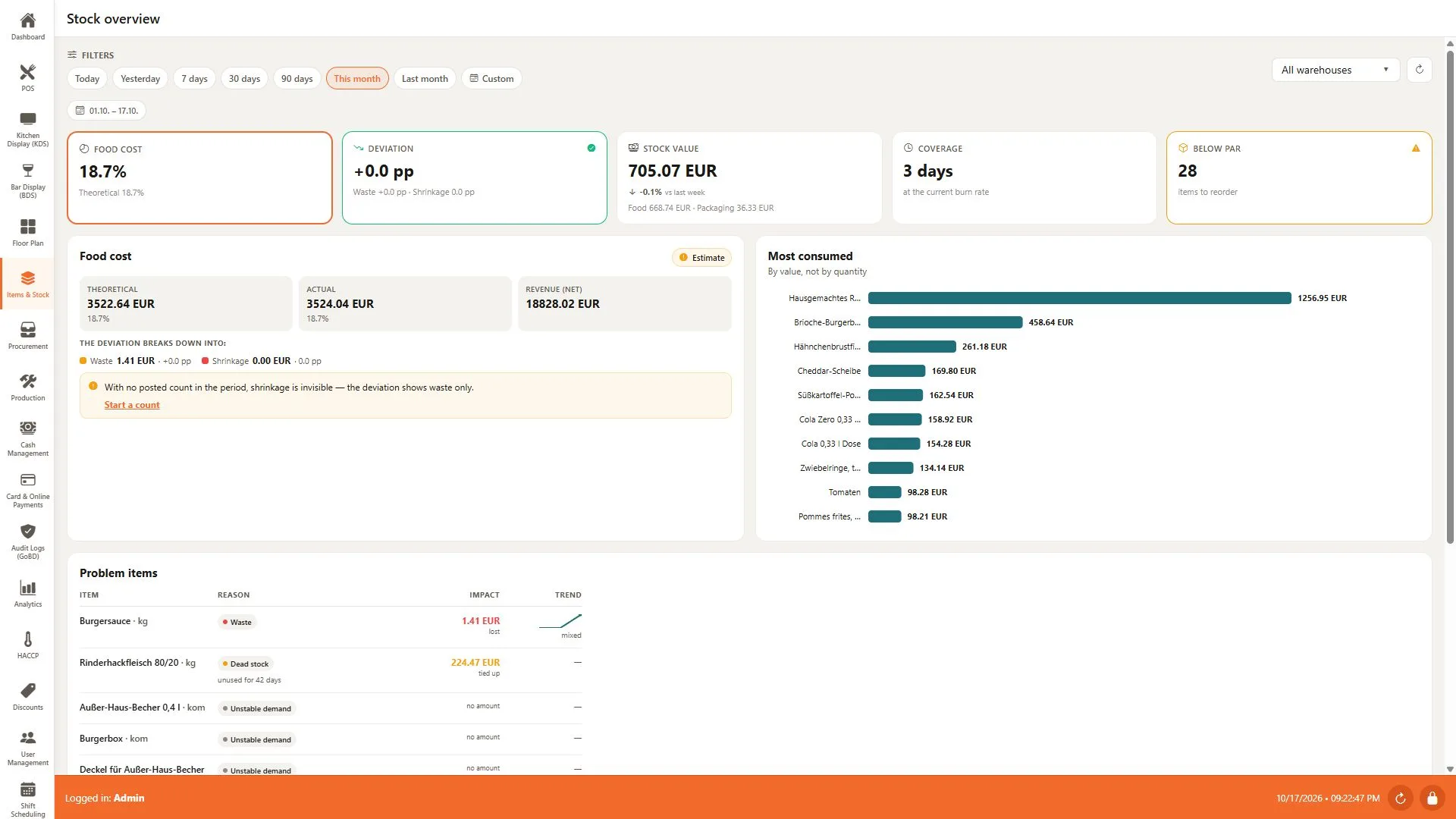
Stock — food cost and inventory performance
The demo stock overview compares theoretical and actual food cost, shows inventory value and coverage, and highlights items below their reorder level. Consumption charts and problem-item trends help prioritise the next stock action.
Architecture
Architecture
The Laravel API resolves tenant context centrally, then works against that tenant's isolated database. Business events use a transactional outbox and Redis Streams, the IoT gateway bridges Zigbee sensors over MQTT into the same API, and one Expo codebase covers web, Android, iOS and dedicated terminals.
Outcome
Outcome
A working platform with 14 Laravel domain modules, an IoT gateway and a cross-platform client, covering the path from order and payment through stock, workforce, HACCP and fiscal close. The product remains in active development.